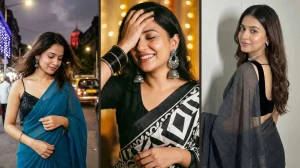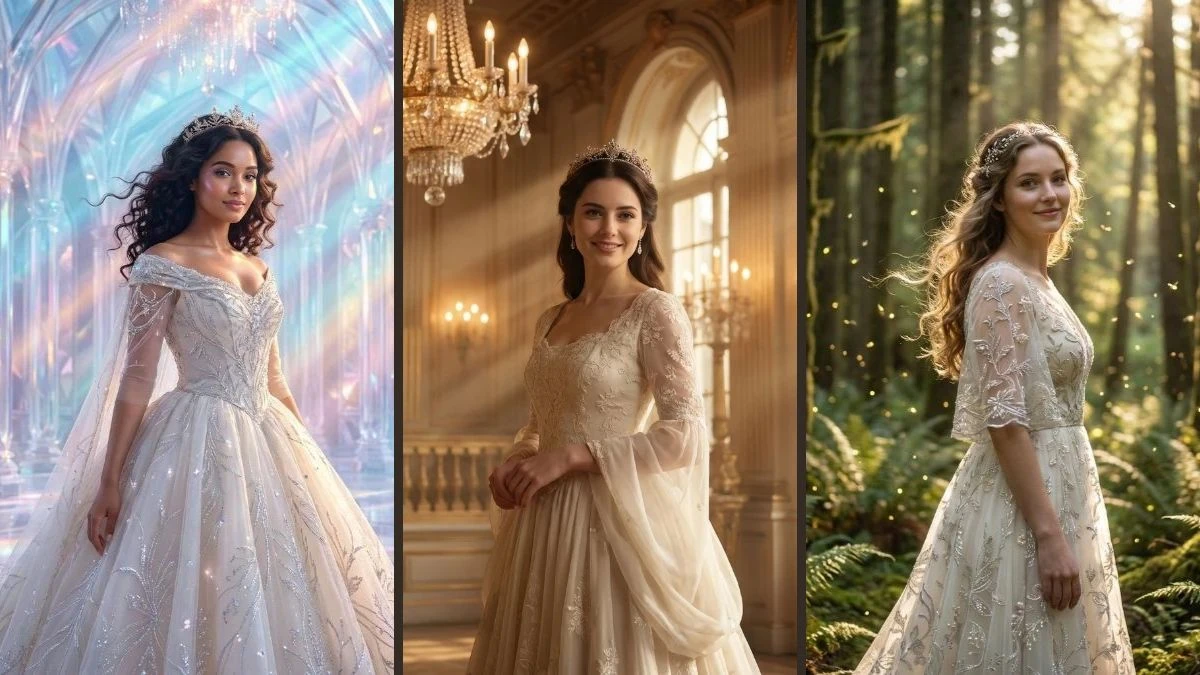
Best Creative Google Gemini AI Photo Editing Prompts for Girls
Girls can now effortlessly transform ordinary selfies into enchanting princess-style portraits with just a few Google Gemini AI prompts no professional editing skills needed. Using the right 10 aesthetic prompts, Gemini can add soft lighting, sparkling gowns, tiaras, pastel backdrops, and fairytale castle vibes, all while preserving the girl’s natural face, skin tone, and expression from the original photo.
These magical edits are perfect for Instagram, birthdays, profile pictures, or fun "fairytale transformation" posts, providing high-quality, ultra-realistic images that blend Disney-like charm with professional studio-level photography.
Prompt 1:
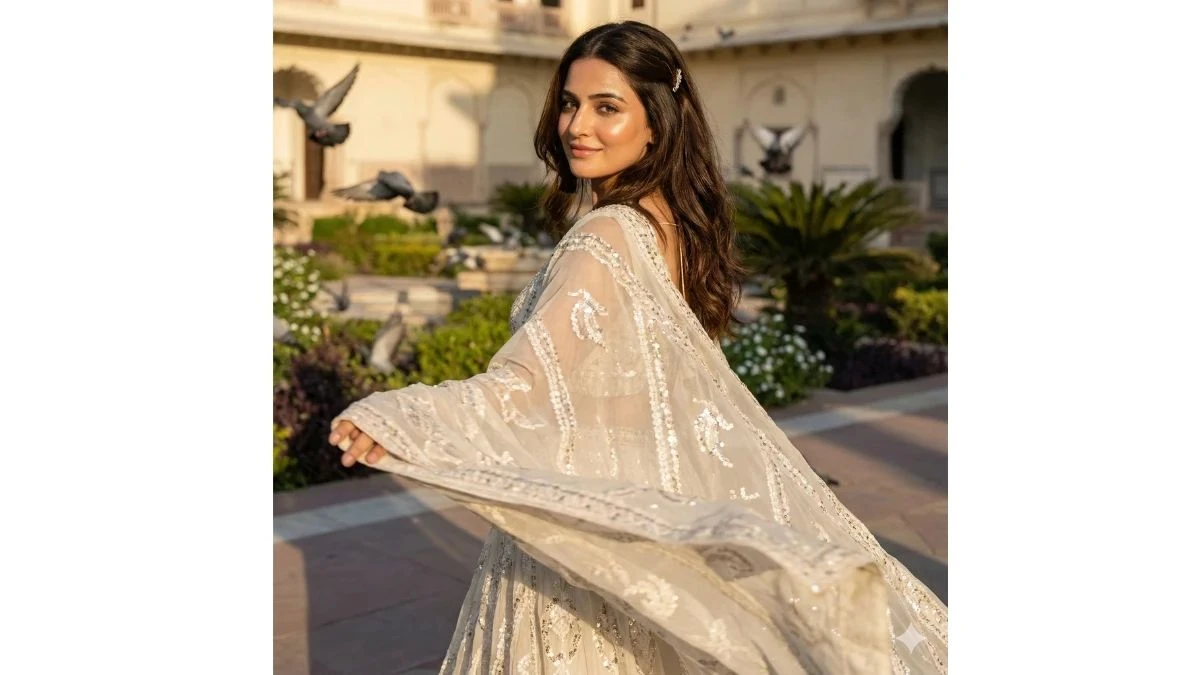
Use This:
"Transform this reference image into an ultra-realistic photograph of a young princess in a palace garden, looking over her shoulder with her off-white flowing gown billowing dramatically in the breeze. Delicate embroidery and shimmering patterns catch the sunlight. Her dark brown hair flows naturally with a subtle jeweled accessory. Her face should remain exactly the same, with a soft smile and glowing skin. Pigeons soar in the background, and sunlight casts warm, realistic golden light and soft shadows across the palace garden. The scene should have an ultra-realistic, cinematic style in 8k resolution, exuding a regal, flowy, and dynamic storybook atmosphere."
Image Credit: Gemini AI
Prompt 2:
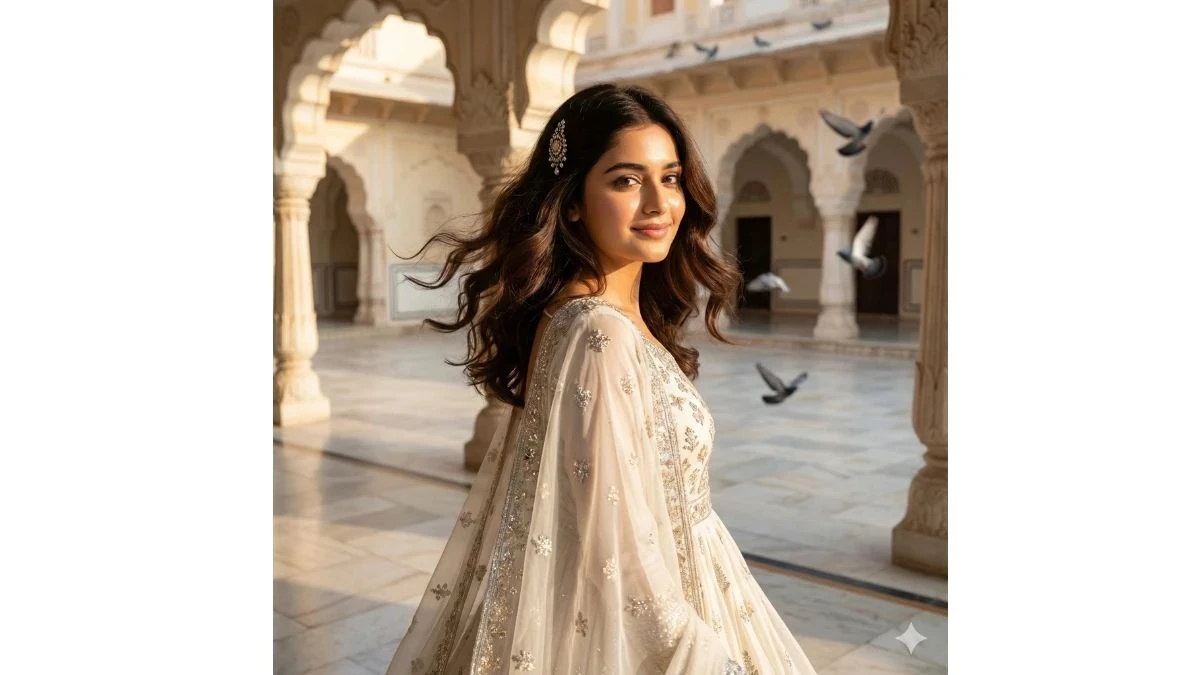
Use This:
"Transform this reference image into a breathtaking scene of a young princess standing gracefully in a grand palace courtyard, wearing an off-white flowing gown with delicate embroidery and intricate patterns that glimmer softly in the sunlight. Her dark brown hair cascades in gentle waves, slightly lifted by a soft breeze, with a subtle jeweled hair accessory resting elegantly in her hair. Her face should remain exactly the same, radiant with glowing skin, gentle eyes, and a soft smile. Pigeons fly gracefully in the background, adding motion and life to the scene. The palace courtyard features marble floors, ornate arches, and sunlight streaming through, casting a warm, golden, cinematic glow. The scene should be ultra-realistic in 8K resolution, with regal, ethereal, and flowy qualities, soft breeze effects, and magical cinematic lighting."
Image Credit: Gemini AI
Prompt 3:
Use This:
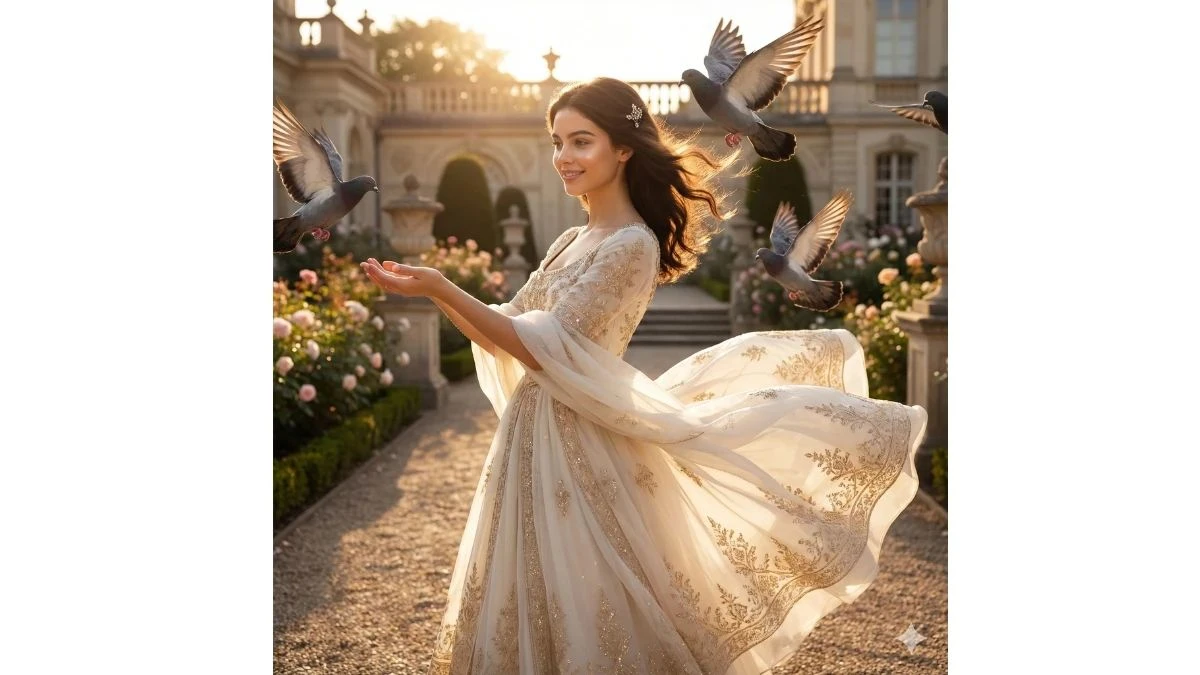
"Transform this reference image into an ultra-realistic photograph of a young princess standing in a palace garden, her off-white flowing gown dramatically lifted by a strong breeze. The delicate embroidery and shimmering patterns of the gown catch the sunlight. Her dark brown hair flows naturally, lifted by the wind, with a subtle jeweled accessory. Her face should remain exactly the same, with a soft smile, glowing skin, and a radiant, ethereal expression. Pigeons swoop dynamically around her, and sunlight creates a halo effect, casting warm, realistic golden light and soft shadows across the palace garden and ornate architecture. The scene should have ultra-realistic, cinematic photography in 8K, with a regal, flowy, and dynamic storybook atmosphere."
Image Credit: Gemini AI
Prompt 4:
Use This:
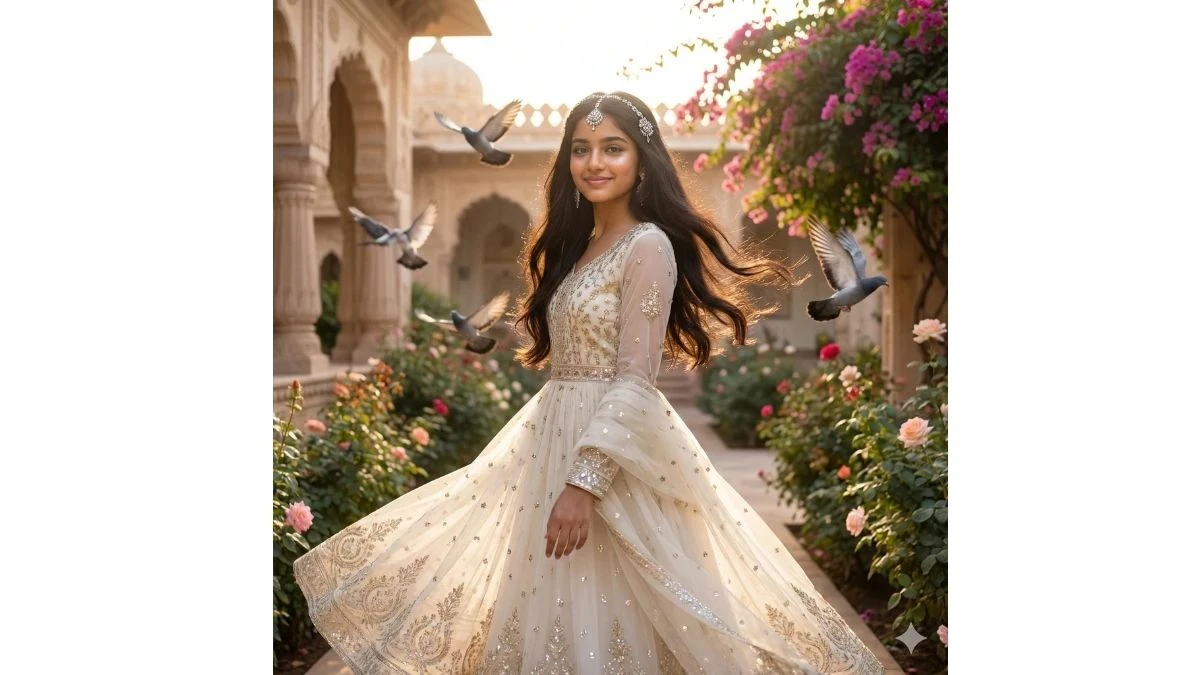
"Transform this reference image into an ultra-realistic photograph of a young princess standing in a palace garden. She is wearing an off-white flowing gown with delicate embroidery and shimmering details, gently lifted by the breeze. Her hair flows naturally, with a subtle jeweled accessory. Her face should remain exactly the same, with a soft smile and glowing skin. Pigeons fly gracefully in the background, surrounded by ornate palace architecture and vibrant flowers, all bathed in warm golden sunlight. The scene should have ultra-realistic, cinematic photography in 8K, with a flowy and atmospheric quality."
Image Credit: Gemini AI
Prompt 5:
Use This:
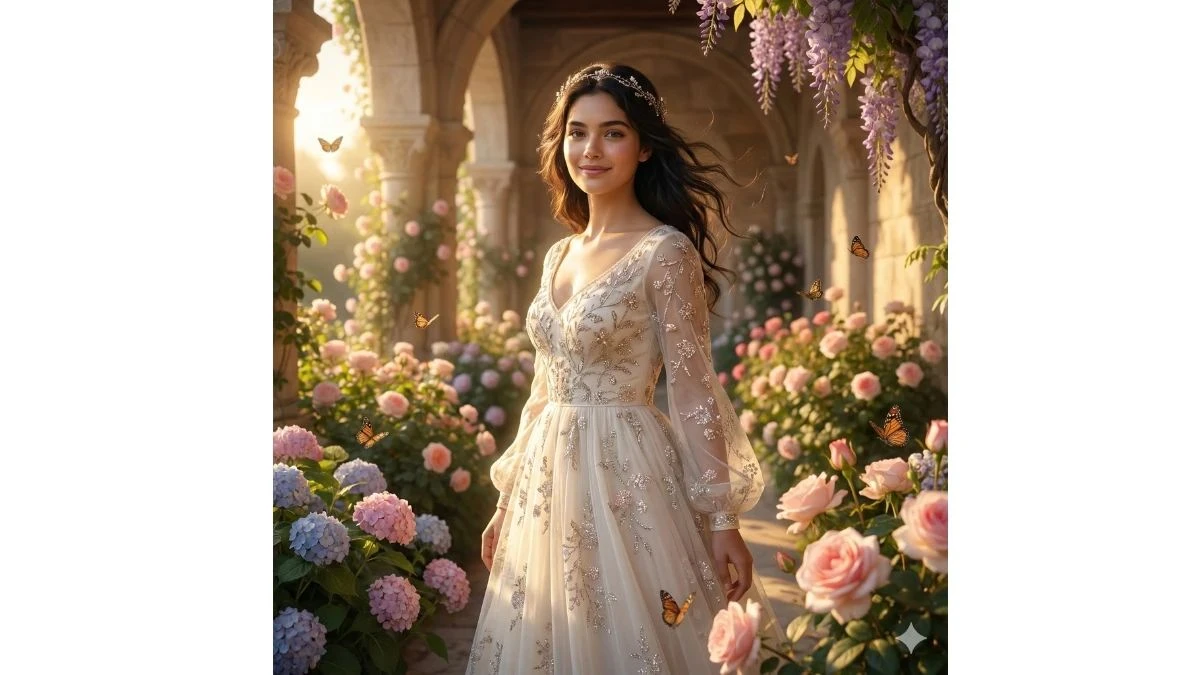
"Transform your portrait into an ultra-realistic image of a young princess standing amidst a vibrant, flower-filled palace garden. You’re wearing an off-white flowing gown adorned with delicate floral embroidery that sparkles softly in the sunlight. Your long, dark hair flows gently in the breeze, with a subtle jeweled headpiece resting elegantly in your hair. Your face should remain the same, with a soft smile, glowing skin, and ethereal beauty. Butterflies flutter in the background, and warm golden light streams through the garden, casting soft shadows and creating a dreamy, cinematic atmosphere. The scene should be in ultra-realistic 8K, with magical, fairytale-like qualities."
Image Credit: Gemini AI
Prompt 6:
Use This:
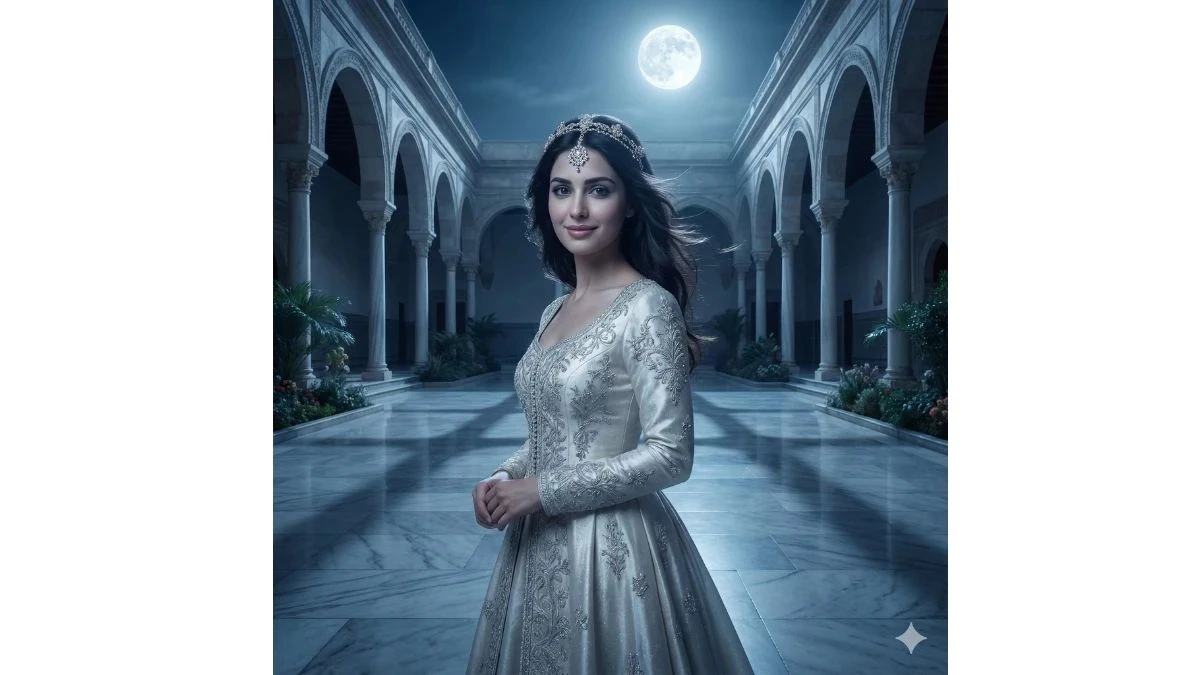
"Edit your portrait to place you as a princess standing gracefully in a grand palace courtyard under a glowing moon. You’re dressed in a shimmering off-white gown with intricate silver embroidery that catches the soft moonlight. Your dark hair flows naturally, slightly tousled by a gentle breeze, with a jeweled hairpiece sparkling in your hair. Your face should remain serene, with glowing skin and a soft, gentle smile. The palace courtyard features marble floors and elegant arches, with moonlight casting cool, ethereal light over the scene. The atmosphere should be regal, serene, and cinematic, captured in ultra-realistic 8K."
Image Credit: Gemini AI
Prompt 7:
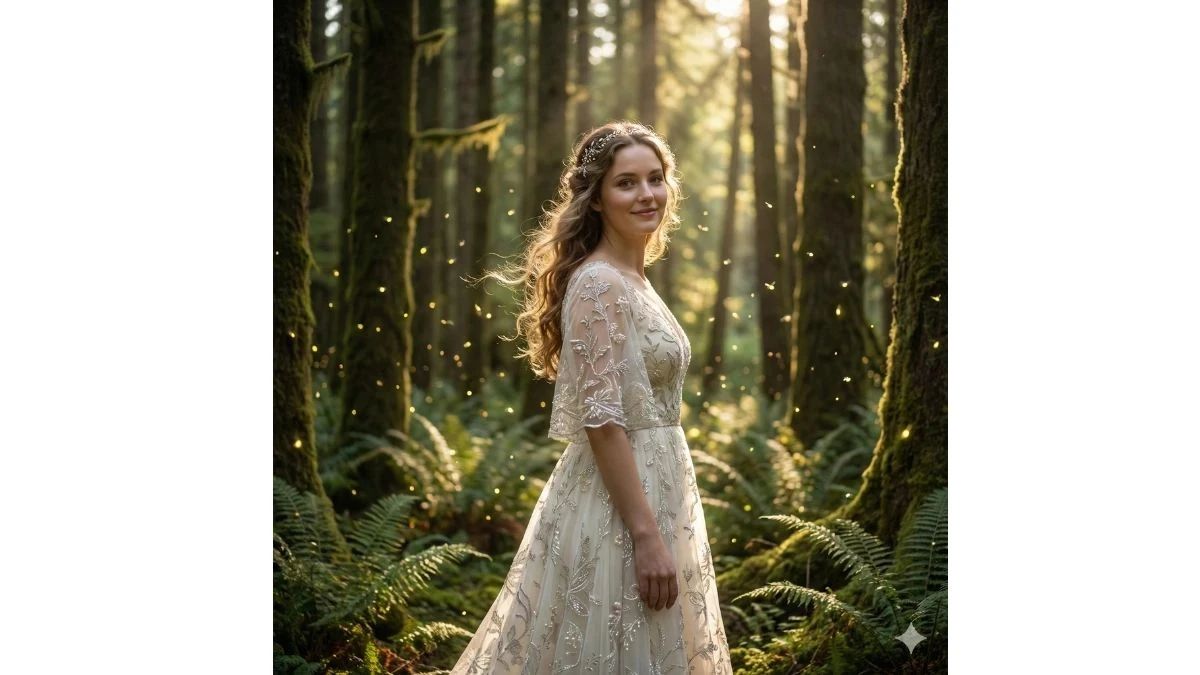
Use This:
"Transform your portrait into a magical scene where you stand as a princess in an enchanted forest. Your flowing off-white gown is adorned with shimmering patterns that blend with the forest's vibrant greenery. The breeze lifts your hair gently, and a jeweled accessory rests in your hair. Your face should stay radiant with soft skin and a warm, inviting smile. Glowing fireflies surround you, and the sunlight filters through the tall trees, casting golden beams and soft shadows. The scene should have an ultra-realistic, cinematic style in 8K, with a fairytale and mystical forest ambiance."
Image Credit: Gemini AI
Prompt 8:
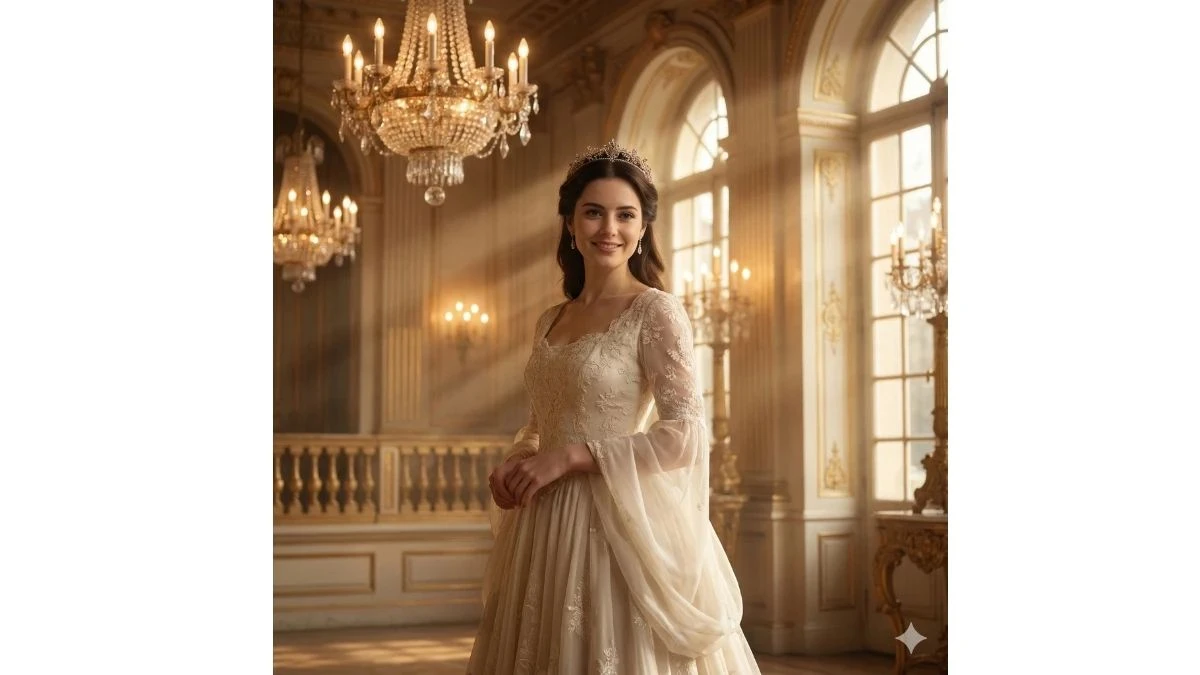
Use This:
"Create an ultra-realistic portrait of a princess standing in the center of a grand ballroom. You are wearing an off-white gown with delicate lace and intricate embroidery, its soft fabric flowing elegantly around you. Your dark brown hair is styled with a subtle jeweled tiara, and you exude a regal aura. The warm glow of chandelier lights casts golden beams over your face, highlighting your glowing skin and soft smile. The ballroom's opulent decor features golden accents and towering windows. The scene should be cinematic, capturing royal elegance in ultra-realistic 8K resolution."
Image Credit: Gemini AI
Prompt 9:
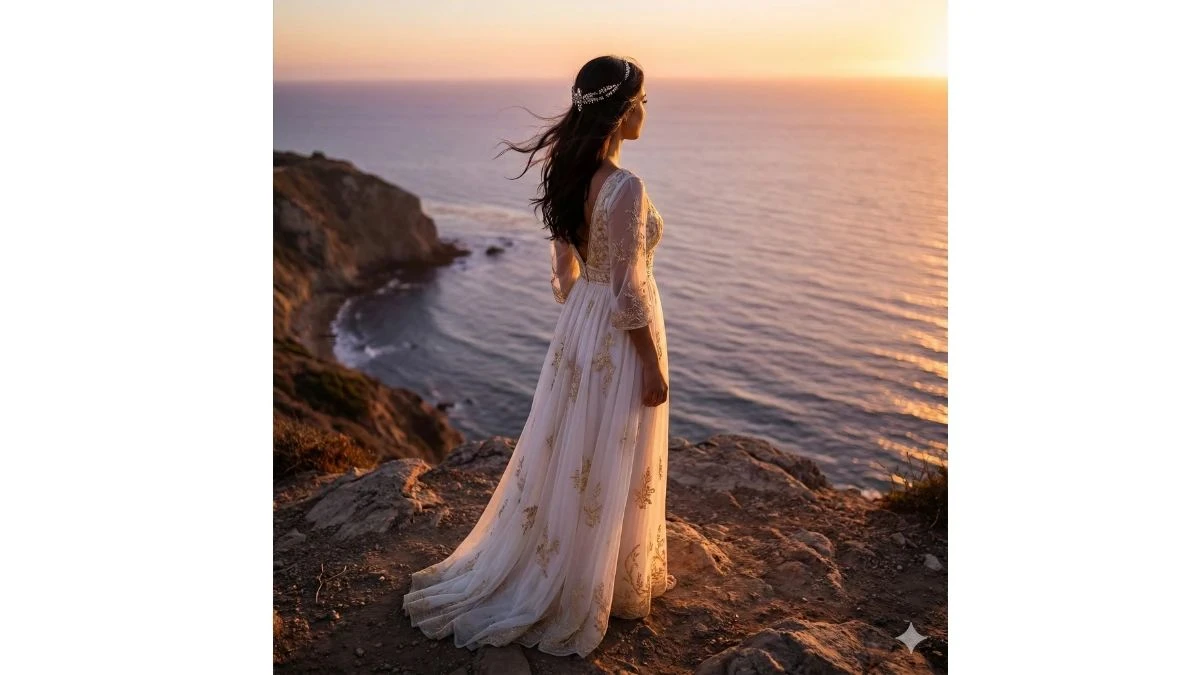
Use This:
"Transform your portrait into an ultra-realistic image of a princess standing on a cliff overlooking the calm ocean at sunset. Your gown, in shades of off-white, billows gently in the breeze, with intricate golden embroidery shimmering in the last light of day. Your dark hair flows naturally with a jeweled accessory that sparkles in the soft, warm light. The sunset bathes the entire scene in golden tones, casting long shadows and creating a peaceful, ethereal atmosphere. The scene should be cinematic, ultra-realistic, and captured in 8K resolution, exuding serenity and royal grace."
Image Credit: Gemini AI
Prompt 10:
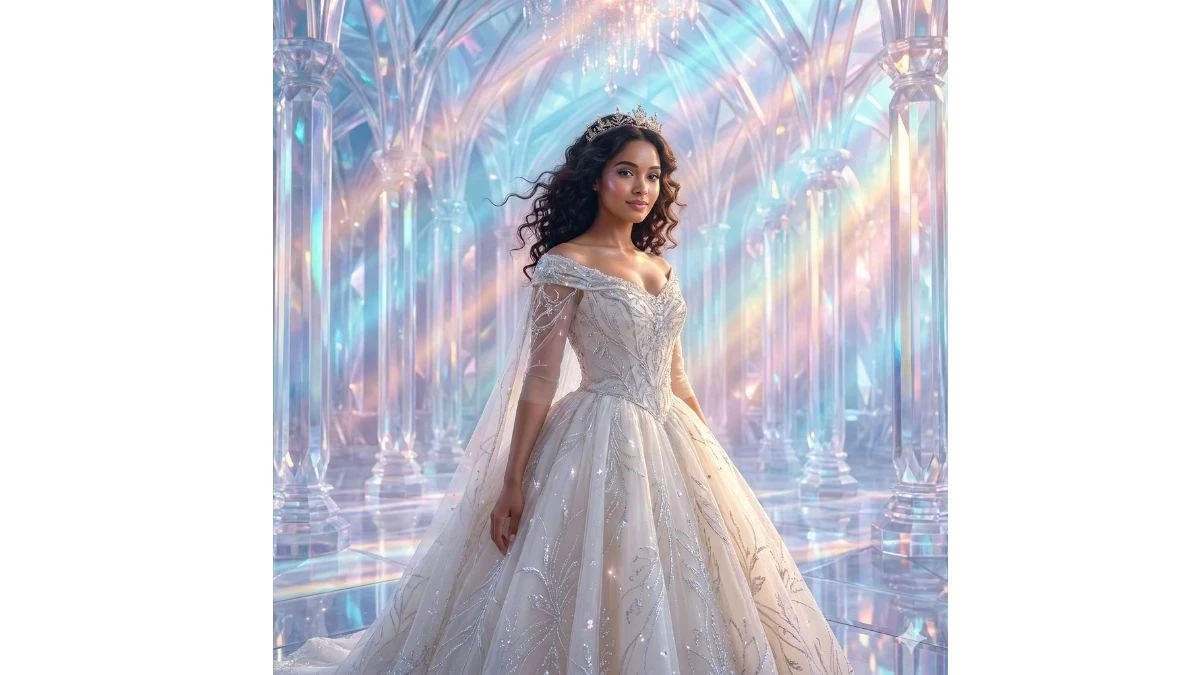
Use This:
"Transform your portrait into a breathtaking scene of a princess standing in the heart of a sparkling crystal palace. Your gown, a soft off-white with glowing silver embroidery, reflects the shimmering light that dances across the crystal walls. Your dark hair, slightly lifted by a gentle breeze, is adorned with a subtle jeweled crown. Your face should retain its radiant beauty, with glowing skin and a serene, graceful expression. The crystal palace around you sparkles in the soft light, with beams of pastel-colored light refracting through the walls. The scene should have an ultra-realistic, cinematic style in 8K, exuding royal fantasy and elegance."
Image Credit: Gemini AI
How to Create Images in Gemini AI?
Creating images with Google Gemini AI is simple and can be done in a few straightforward steps. Here's how:
1. Access Google Gemini AI
-
Visit the official Google Gemini platform (or the service that integrates Gemini AI).
-
You may need to sign up or log in if you don’t have an account yet.
2. Choose Your Image Type or Theme
-
Decide what kind of image you want to create (e.g., a portrait, landscape, abstract, etc.).
-
Pick a theme like "princess-style portrait" or "dreamy background."
3. Enter Your Prompt
-
Write a detailed description of the image you want. For example, you can describe the scene (e.g., "princess in a sparkling gown with a pastel background").
-
The more specific your prompt, the better the AI can create your desired image.
4. Adjust Settings (Optional)
-
Some platforms offer settings for style, color schemes, or image resolution. Adjust these settings based on your preference.
5. Generate the Image
-
Once your prompt is ready, hit the “Generate” or “Create” button.
-
The AI will process your request and create an image based on your description.
6. Review and Edit (Optional)
-
After the image is generated, you can review it. If needed, make edits or generate a new version with adjustments.
7. Download or Share
-
Once you’re happy with the image, you can download it to your device or share it on social media.