Best Google Gemini AI Photo Editing Prompts for Creating Stunning, Ultra-Realistic 8K Portraits
Gemini AI is revolutionizing photo editing in 2025, enabling users to easily create viral, high-quality images for social media and portfolios. With its powerful AI tools, users can now craft stunning, professional-level edits that stand out on any platform.
This article presents 10 impactful, ready-to-use prompts that elevate your selfies and portraits into sharp, cinematic, and trendy edits. Whether you’re aiming for ultra-realistic detail, trendy lighting effects, or bold, creative compositions, these prompts are designed to maximize your reach and engagement.
Thanks to Gemini AI’s advanced image generator, you can transform your ordinary photos into 4K and 8K masterpieces that look like they were edited by top-tier professionals. Get ready to elevate your brand, grow your followers, and make every image pop with the latest AI-powered editing techniques.
Prompt 1:
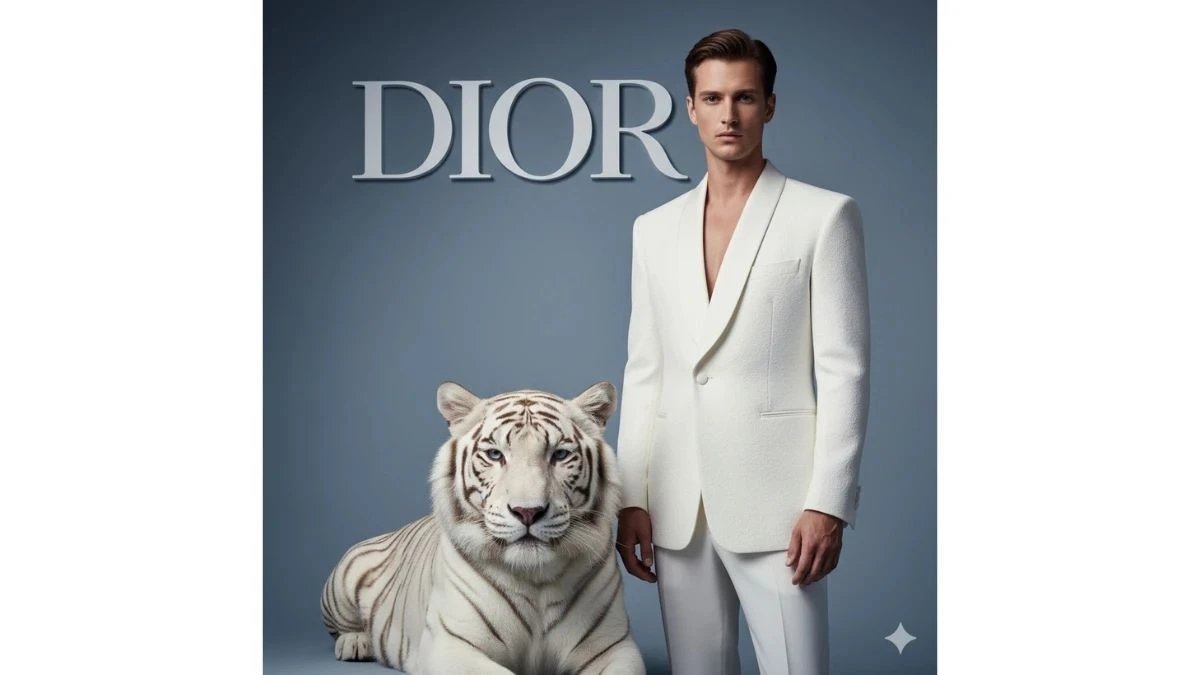
Use This:
"Imagine standing beside a majestic white tiger, perfectly poised before an oversized "DIOR" logo set against a minimalist blue-gray studio backdrop. The individual wears a pure-white textured wool tuxedo with structured shoulders and a sleek silhouette, embodying the essence of haute-couture elegance. The tiger sits calmly beside him, its eyes directed toward the camera. The scene is captured with the same diffused studio lighting and refined Dior editorial composition, maintaining a cinematic depth. The shot, taken with a Nikon Z9 and an 85 mm f/1.2 S lens, uses ISO 200 and a shutter speed of 1/160 s, with soft directional key light to create an 8K hyper-realistic image. The luxury contrast finish enhances the image’s visual impact, highlighting the perfect skin tone and likeness in a social-media-worthy shot that exudes high-end fashion aesthetics."
Image Credit: Gemini AI
Prompt 2:
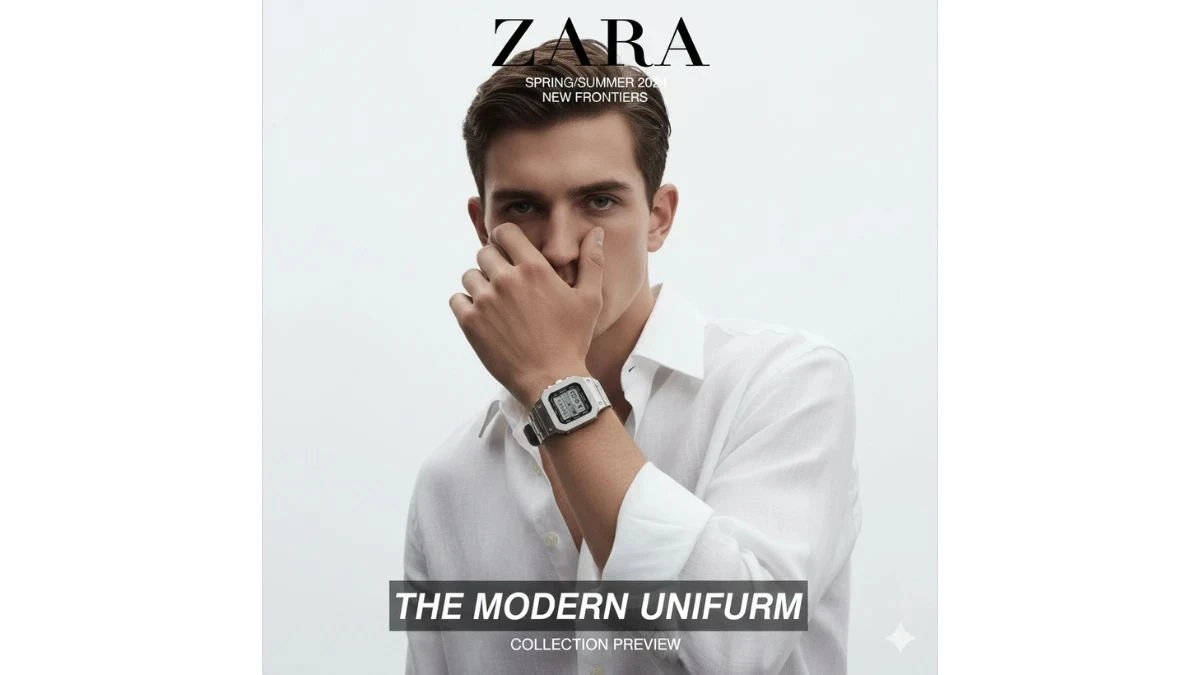
Use This:
"Create a portrait with ultra-realistic, high-resolution detail, resembling a ZARA fashion editorial cover. The background should be pure white, focusing on a young man’s face (referencing the uploaded picture for accuracy). He is dressed in a loose white shirt with rolled sleeves, one arm partially covering his face, and a metallic rectangular G-Shock wristwatch clearly visible on his wrist. The shot should capture the male subject in a hyper-realistic 8K cinematic style with a 4:5 aspect ratio, emphasizing the natural textures, lighting, and sharp details to enhance the fashion-forward and sophisticated vibe."
Image Credit: Gemini AI
Prompt 3:
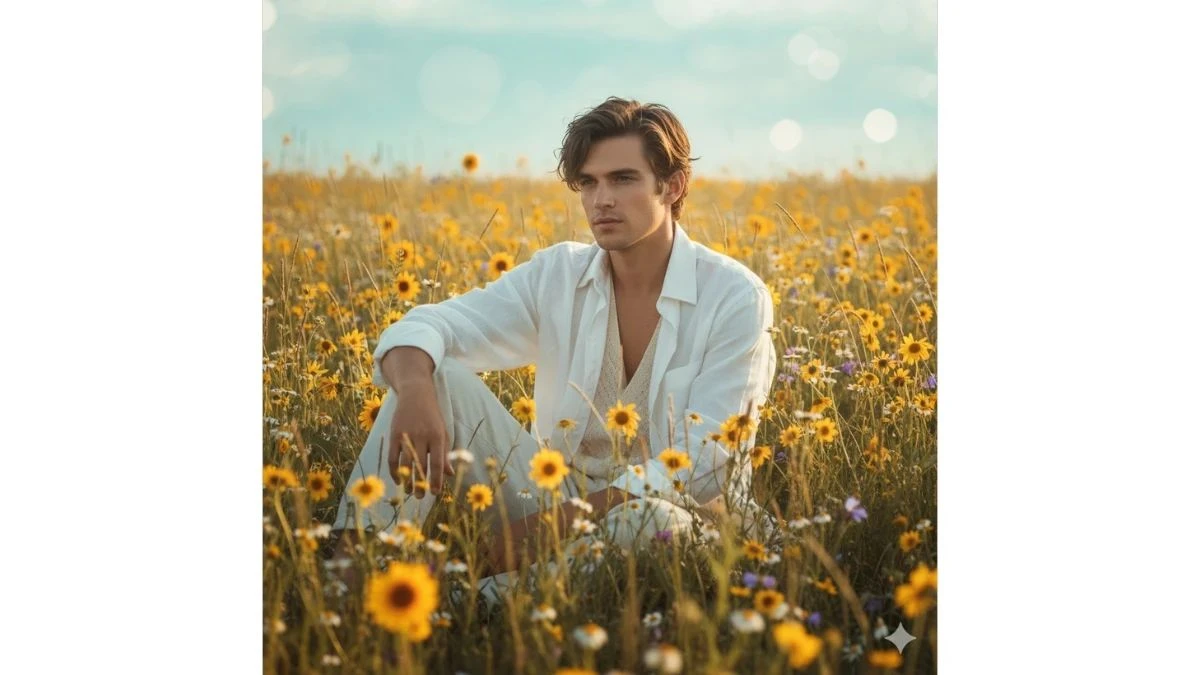
Use This:
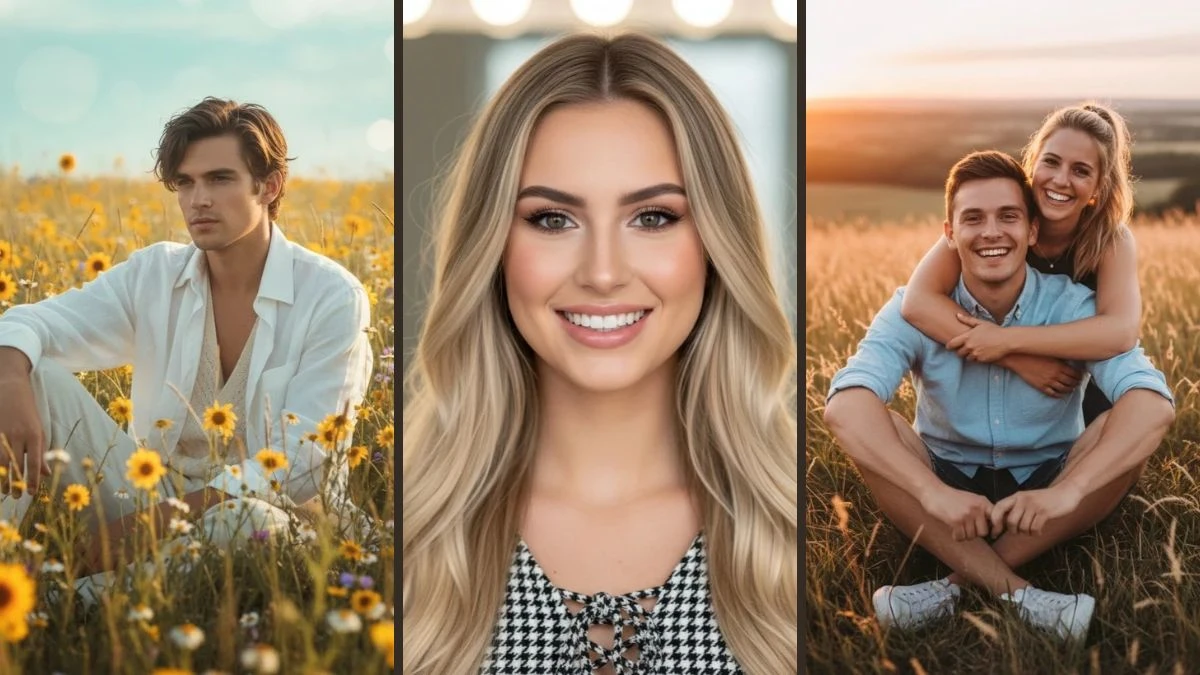
"Capture a fashion editorial portrait of a male model sitting gracefully in a field of flowers and tall grass, surrounded by vibrant yellow blooms. The background features a smooth bluish gradient with soft bokeh, enhancing the tranquil atmosphere. The shot is taken during golden hour, with warm sunlight casting soft shadows and creating a natural, ethereal glow. The model wears a loose white button-down shirt over a cream inner top, exuding effortless style. The lighting is diffused and dreamy, amplifying the serene, youthful mood. The image should be in HD with delicate textures, cinematic depth, and a soft, natural daylight feel, perfectly capturing the peaceful essence of the scene."
Image Credit: Gemini AI
Prompt 4:
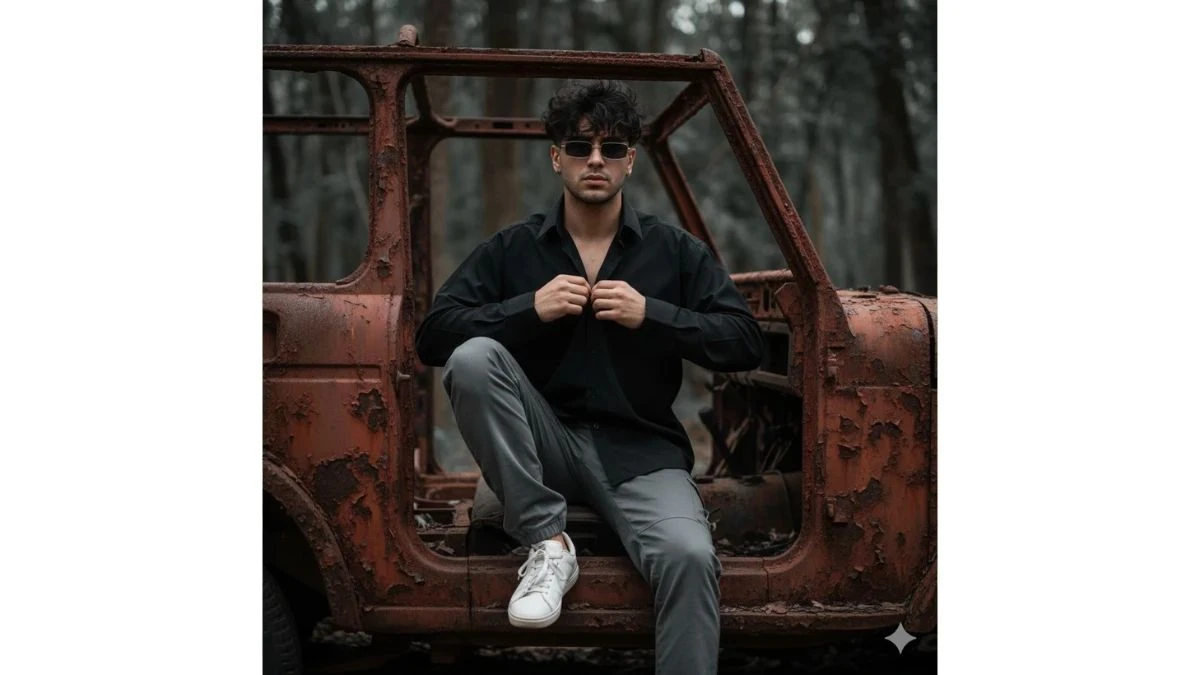
Use This:
"Capture the portrait of a very handsome young boy with a wavy fringe hairstyle, sitting inside the dilapidated frame of an old, fully rusted jeep. He wears a loose black full-sleeve shirt, both sleeves buttoned up, paired with grey cargo pants and sneakers. His look is completed with rectangular thin sunglasses, and his messy, dark black hair adds to the rugged vibe. The lighting is moody and cinematic, with a shallow depth of field, focusing attention on the subject while blurring the dark, leafy background. His facial expression is calm yet confident, adding depth and intensity to the overall composition, perfectly complementing the gritty, vintage aesthetic."
Image Credit: Gemini AI
Prompt 5:
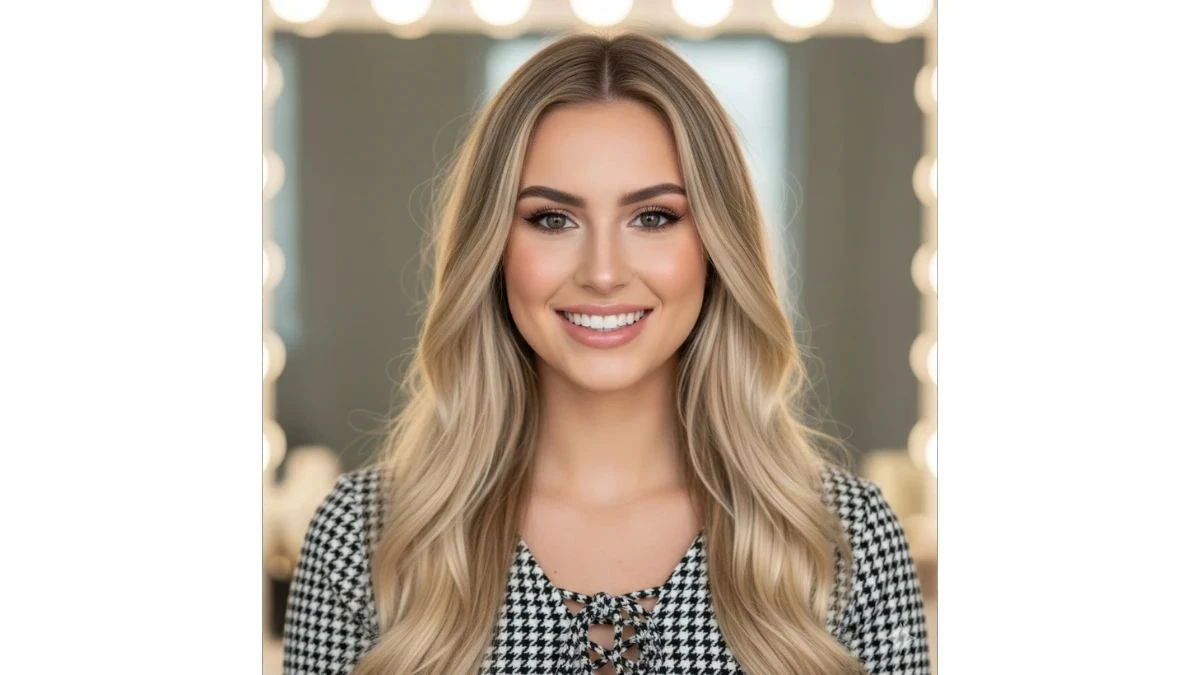
Use This:
"A close-up portrait of a beautiful young woman with long, flowing blonde hair with darker roots and highlights. She has a warm smile, showing her teeth, and her eyes are looking directly at the viewer. Her makeup is natural but polished, featuring defined eyebrows, eyeshadow, eyeliner, and subtle blush. She is wearing a black and white houndstooth-patterned top with a lace-up detail at the front. The background is softly blurred, showing hints of bright lights, possibly from a vanity mirror or studio lighting, creating a bokeh effect. The lighting is soft and flattering, highlighting her features. Don't change the face, make sure the face is the same. "
Image Credit: Gemini AI
Prompt 6:
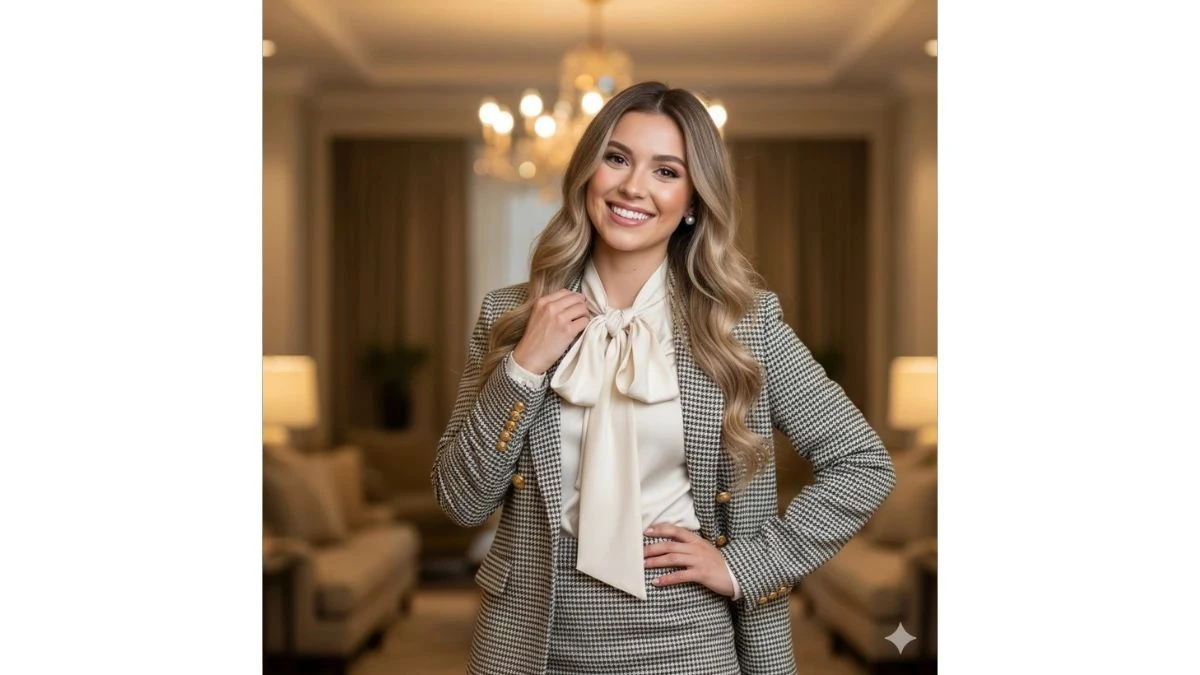
Use This:
"A professional portrait of a smiling young woman standing, with one hand on her hip and the other adjusting her collar. She has long, wavy blonde hair with darker roots and subtle highlights. She is wearing a sophisticated outfit consisting of a houndstooth-patterned blazer with gold buttons and a matching houndstooth skirt. Underneath the blazer, she has a cream-colored blouse with a large, elegant bow tied at the neck. Her makeup is polished and natural, highlighting her eyes and smile. She is wearing pearl earrings. The background is an interior setting, softly blurred, with warm lighting and hints of furniture and possibly a chandelier, suggesting a refined or office environment. Don't change the face, make sure the face is the same. "
Image Credit: Gemini AI
Prompt 7:
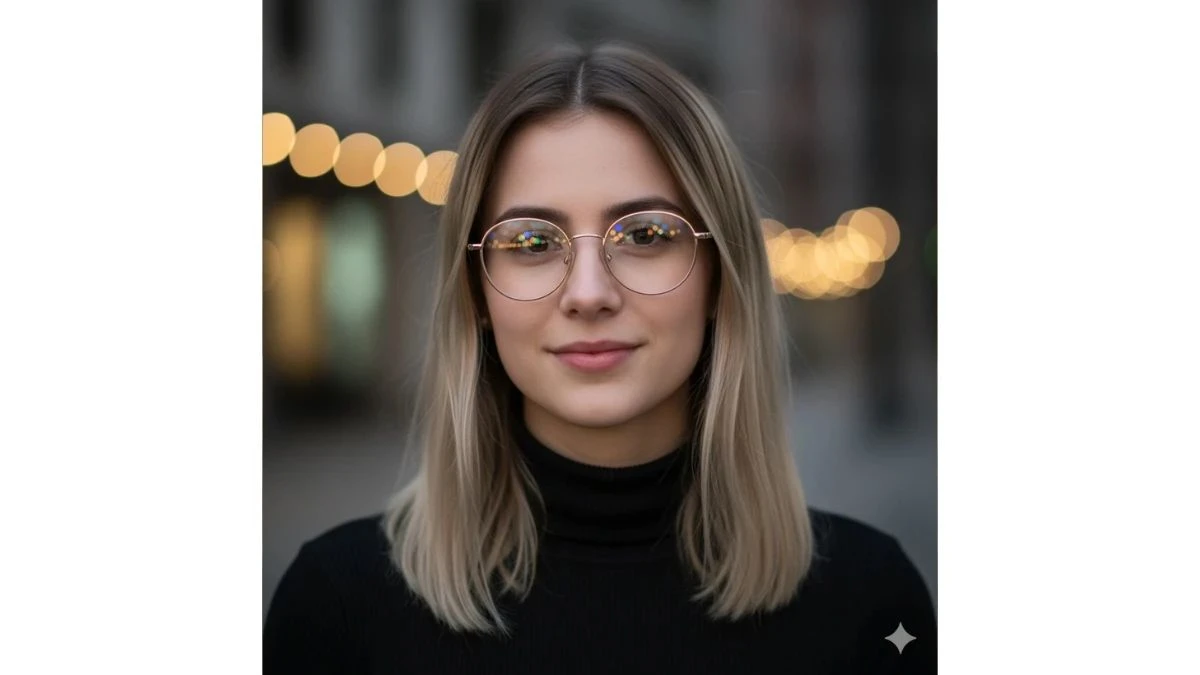
Use This:
"A headshot of a young woman looking directly at the camera with a subtle smile. She has straight, medium-length hair with dark roots and blonde balayage highlights, parted on the side. She is wearing round, gold-rimmed glasses, and colorful bokeh lights are reflected in the lenses. She is dressed in a black turtleneck sweater. The background is blurred with warm, out-of-focus string lights or city lights, creating a soft, luminous effect. The lighting is gentle, highlighting her features and the reflections in her glasses. Don't change the face, make sure the face is the same. "
Image Credit: Gemini AI
Prompt 8:
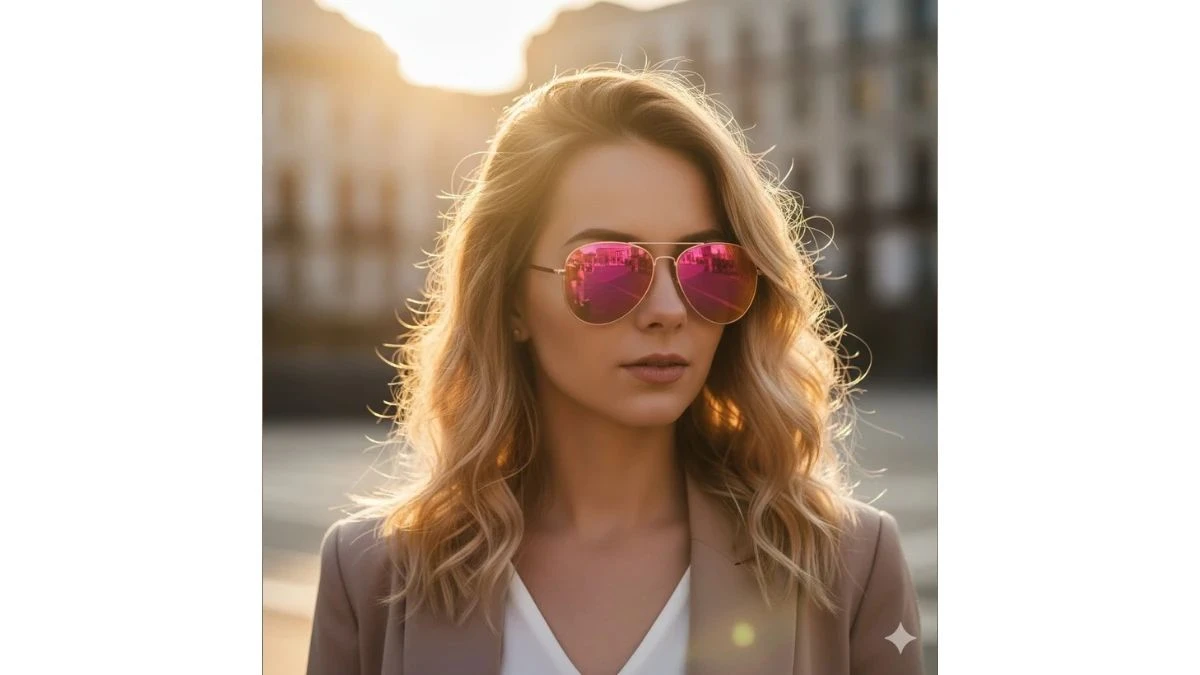
Use This:
"A close-up outdoor portrait of a young woman looking slightly downwards and to the side, with a soft expression. She has wavy, sun-kissed blonde hair with darker roots, beautifully backlit by the golden hour sun, which creates a strong halo effect around her head. She is wearing stylish aviator-style sunglasses with vibrant pink reflective lenses, which show reflections of the urban environment. She is dressed in a light-colored (possibly white) V-neck top and a beige or light brown blazer. The background is blurred, showing hints of city buildings, bathed in the warm, golden light of sunset or sunrise. Don't change the face; make sure the face is the same. "
Image Credit: Gemini AI
Prompt 9:
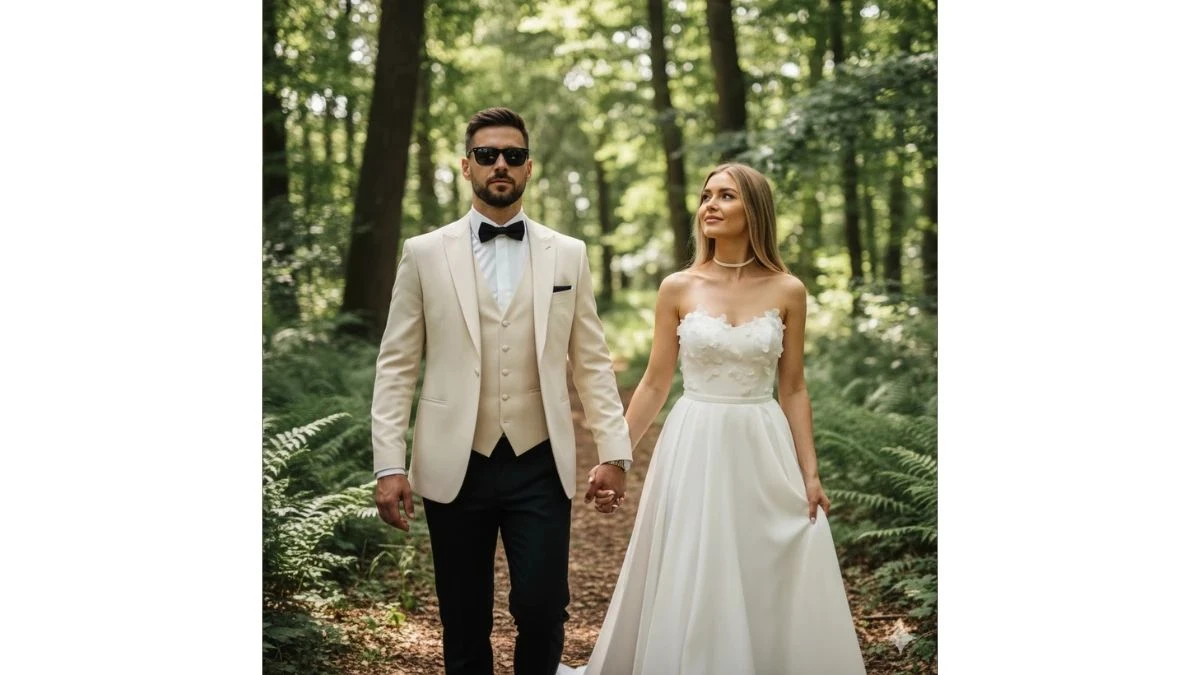
Use This:
"A full shot of a stylish couple, a man and a woman, walking hand-in-hand through a wooded area with dappled sunlight. The man is in the foreground, slightly to the left, wearing a cream or white tuxedo jacket, a matching vest, a white shirt, a black bow tie, and black trousers. He has short dark hair, a beard, and is wearing black sunglasses, looking confidently forward. His left hand is holding the woman's right hand. The woman is to his right and slightly behind him, wearing a strapless white wedding gown with delicate floral appliques on the bodice and a flowing skirt. She has long, straight blonde hair and is looking upwards and to the left. She is wearing a choker necklace. The background consists of tall trees and green foliage, creating a soft, natural setting. Don't change the face; make sure the face is the same. "
Image Credit: Gemini AI
Prompt 10:
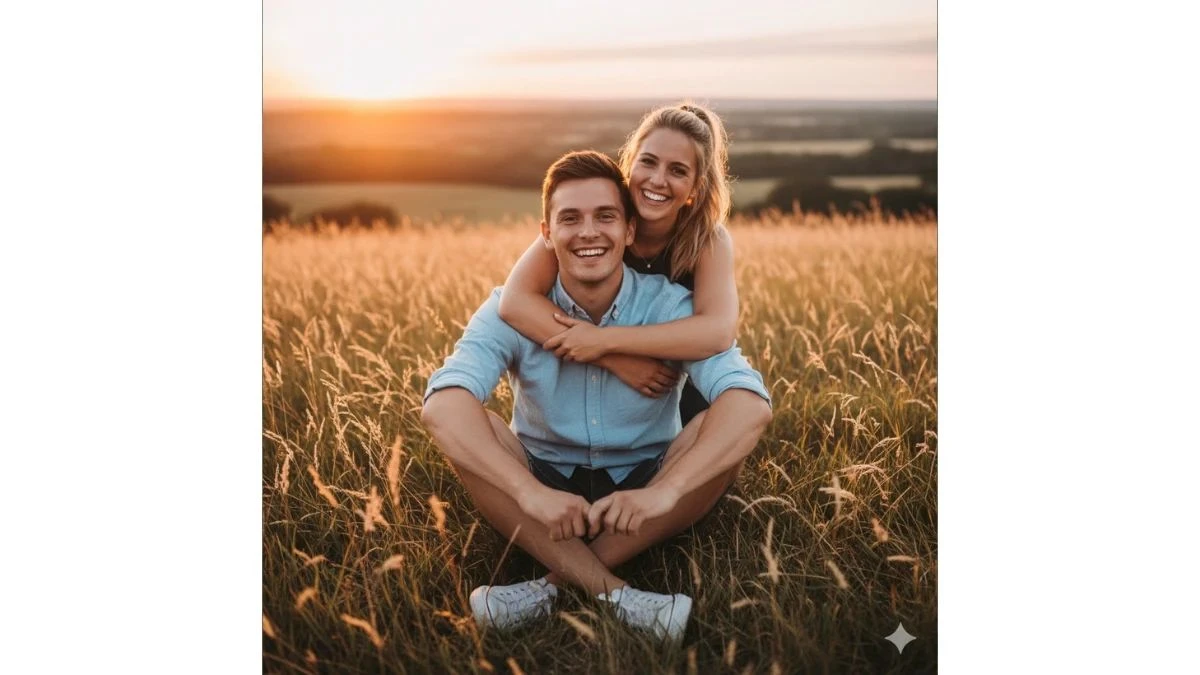
Use This:
"A joyful outdoor portrait of a young couple sitting together in a field of tall, golden-hued grass during golden hour. The man is in the foreground, sitting cross-legged, wearing a light-colored (possibly off-white or light blue) button-up shirt with rolled-up sleeves, dark shorts, and white sneakers. He has short brown hair and is smiling broadly at the camera. The woman is behind him, leaning over with her arms around his shoulders, also smiling widely at the camera. She has blonde hair tied back and is wearing a dark top. The sunlight is warm and soft, casting a glow over the scene, and the background shows a blurred landscape with hints of a sunset sky. Don't change the face, make sure the face is the same. "
Image Credit: Gemini AI
Tips for Creating Viral Professional Edits
-
Be detailed in your prompts: Include specifics like outfit, background, mood, lighting, and style to achieve unique, eye-catching results.
-
Use negative prompts to remove unwanted elements (e.g., “no blur, no clutter”).
-
Start with high-quality images: Clear, high-resolution photos are key for optimal results.
-
Experiment with lighting: Try styles like “golden hour,” “city neon,” or “studio glow” to enhance engagement.
-
Use multi-turn editing: Generate several versions by tweaking prompts and pick the best.
-
Polish the final image: Adjust brightness, contrast, and saturation to give it a professional touch.
-
Post consistently: Develop a recognizable style and use viral hashtags like #GeminiEdit or #AIPhotoEditz to increase visibility and strengthen your brand.
-
Tailor prompts for current trends or special occasions, incorporating themes like festivals, travel, or events to broaden relevance.
How to Create Images with Gemini AI?
-
Access Gemini AI via the web portal, Google AI Studio, or compatible apps.
-
Upload your photo (for best results, use a well-lit, high-resolution selfie or portrait).
-
Enter the prompt in Gemini’s input field. Example: "Ultra-realistic cinematic portrait in streetwear, neon city background, 4K resolution."
-
Choose your resolution (opt for 4K or 8K for professional-grade results).
-
Click "Generate" and let Gemini AI process your image.
-
Review and fine-tune: Use built-in sliders to adjust brightness, contrast, color grading, or refine skin texture and shadows.
-
Download your final image, ready for sharing or posting on platforms like Instagram and TikTok.